Diagnostic-Grade on the Device in Your Hand: What Server-Side Rendering Changes for On-Call Clinicians

Most conversations about mobile image review get stuck on the wrong variable. They become arguments about screens: pixel density, ambient light, whether a 6-inch display can ever be appropriate for a head CT. Those are real questions, but they are downstream. The variable that actually determines whether an on-call clinician gets a usable image is architectural: where the pixels are rendered.
That single decision determines how much data lands on the endpoint, how much the experience degrades on hotel Wi-Fi, whether 3D and MPR survive the trip to a tablet, and whether your security team and your clinical team end up funding two separate projects to solve one problem.
The consensus that costs hospitals twice
Walk into most imaging departments and you will find "secure remote access" and "diagnostic mobile viewing" sitting in different budget lines, owned by different people, on different timelines.
- Secure remote access is an IT project. It usually means VPN, VDI, MDM enrolment, device containerisation, and remote wipe policies.
- Diagnostic mobile viewing is a clinical project. It usually means a viewer app, a clearance conversation, and a debate about which devices count.
They are treated as two arguments because, in a client-side architecture, they genuinely are two arguments. If the viewer pushes DICOM or compressed pixel data down to the device to render it locally, patient data is on the endpoint. Once patient data is on the endpoint, every security control you add is a tax you are paying to compensate for the architecture. VDI exists largely to put a screen between the data and the device; MDM exists largely to manage the consequences of the data getting there anyway.
Server-side rendering removes the premise. In ResolutionMD, the study is pulled into server RAM for the duration of the session and rendered on the server. What crosses the network is the rendered view. Nothing is copied or stored on the device, and the data stays behind your firewall, in your deployment, on-premise or in your own cloud tenancy. (Study download exists as a separate, administratively controlled function, not as a side effect of looking at an image.)
That is why "secure remote" and "diagnostic mobile" collapse into one argument rather than two. You are not securing a device that holds imaging. You are granting an authenticated session to a device that holds nothing.
What it changes clinically, not just architecturally
The security benefit gets the attention. The clinical consequence is the more interesting one for anyone taking call.
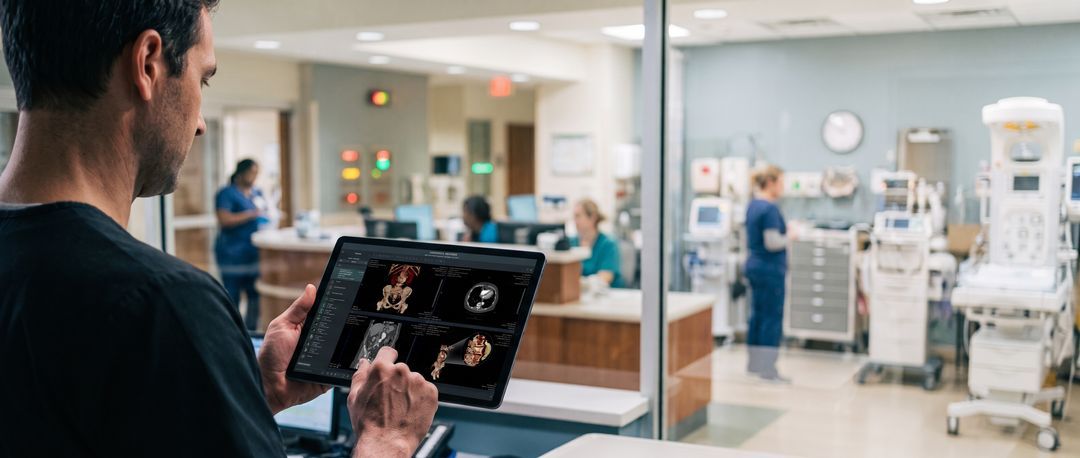
Because rendering happens on the server, performance is a function of your server, not the clinician's hardware. A surgeon opening a 1,200-slice CTA on a four-year-old personal phone is asking the server to do the work. The phone is simply a display surface and an input device.
That is what makes the depth of the toolset portable:
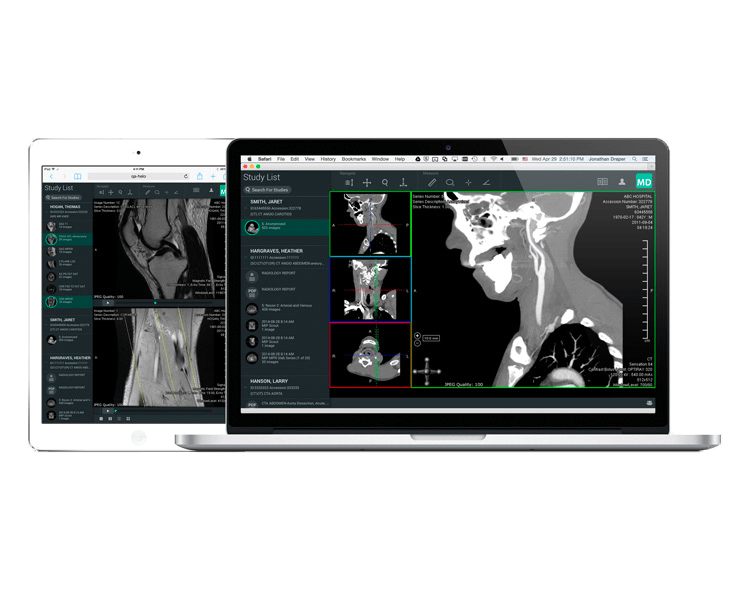
- Full volumetric reconstruction: Full 2D, MIP, MPR, CMPR, thick-slab, and 3D volume rendering are available in the same session, at 100 percent of original resolution, on a phone or tablet.
- Cardiology toolsets: Cine playback with cardiology workflows, including cine sync for cardiac ultrasound and ECG measurements (HR, QT, amplitude), works the same way.
- Significant-finding navigation: Support for GSPS, CSPS, KO, and KIN objects matters enormously at 2am when the urgent question is "what did the prior reader flag?" rather than scrolling through 900 images manually.
This is also the honest answer to the field observation heard most often from imaging directors: that bundled PACS viewer mobile functionality is limited. The issue is rarely the product team; it is that the rendering burden was handed to the mobile device.
The clearance question, answered precisely
"Cleared for diagnostic use" is a phrase that gets used loosely in this market, so here is what it means for ResolutionMD specifically:
The viewer holds Class II / IIa / Class B clearances across twelve named regulatory authorities, including:
- Current FDA 510(k) (K260500)
- EU MDR
- UK MHRA
- Health Canada
- TGA (Australia)
- ANVISA (Brazil)
- HSA (Singapore)
- Taiwan FDA
- CDSCO (India)
- Saudi FDA
- Costa Rica MOH
- Mexico COFEPRIS
Mammography and tomosynthesis are cleared from version 9.2. Critically, that clearance covers the web client and the native iOS and Android apps, not just the desktop browser.
What clearance does not do is make a decision for you about viewing conditions. A software clearance is a statement about the software. The clinician and the department still own the judgment about when a given display and a given ambient environment are appropriate for a given read. Any vendor who tells you their clearance settles that question is overselling.
Where this lands in the actual on-call workflow
Three patterns show up repeatedly across production installations:
- The on-call radiologist: Launches from home, often from a tablet, needs reconstruction rather than a flat stack, and needs the session to terminate cleanly. Role-based session timeouts and audit logging are configured by your admins.
- The surgeon or referring physician as occasional reviewer: This group will not maintain a separate PACS login. They need in-context launch from the EMR. Cerner supports three launch methods (report URL, toolbar button, MPage embed). Epic supports an Imaging-tab link plus Canto launch of the iOS app, with SMART on FHIR SSO available. Measured customer-side effort is roughly 4 hours for Epic and 5 for Cerner.
- The real-time second opinion: Multi-party audio and video with built-in text chat inside the session, so an MDT or a remote consult happens around live images rather than a static description. Asynchronous sharing via secure PIN-protected link arrives in version 9.2.
And the continuity case keeps arriving unplanned: because the viewer searches existing archives through federated, tiered multi-archive search rather than holding a duplicate copy of your data, it acts as an independent access path during outages.
What to test, and what we will not claim
If you are evaluating this, do not test it on hospital Wi-Fi against a 60-image study. Test it the way call actually happens: a large CTA, over cellular, on a personal device, at the end of a shift. Then ask your security team to inspect the device cache afterwards.
On the security review itself, we are direct about the evidence set:
- Included: ISO 13485, standard BAA, architecture and data-flow diagrams, HIPAA and GDPR compliance statements, source code escrow, and admin-controlled authentication via OAuth2/OpenID, SAML, or LDAP/AD.
- Not Held: SOC 2, ISO 27001, and HITRUST are not held and not planned.
Equally: this is not a reading workstation. Hanging protocols and deep radiology reporting queues are not here. XDS is not supported. If primary radiology reporting is the requirement, this is the wrong tool.
What we do claim is narrower and testable: Diagnostic-grade imaging, at full depth, on the device the clinician already has, with zero patient data stored on it.